alearningpro
alearningpro
  • Home
  • Online Learning
    • Online Learning
    • autocad-register
    • photoshop-landing
    • max-landing
    • revit-landing
    • navis-landing
    • ACC-landing
    • BEP-landing
    • PMP-Landing
    • excel-landing
    • powerbi-landing
    • PMP-Journey-free
    • BIM_Manage_Pre-contract
    • BIM_Manage_Post-contract
  • subscribe
  • BIM Resources
  • Careers
  • Contact Us
  • More
    • Home
    • Online Learning
      • Online Learning
      • autocad-register
      • photoshop-landing
      • max-landing
      • revit-landing
      • navis-landing
      • ACC-landing
      • BEP-landing
      • PMP-Landing
      • excel-landing
      • powerbi-landing
      • PMP-Journey-free
      • BIM_Manage_Pre-contract
      • BIM_Manage_Post-contract
    • subscribe
    • BIM Resources
    • Careers
    • Contact Us
  • Sign In
  • Create Account

  • Bookings
  • My Account
  • Signed in as:

  • filler@godaddy.com


  • Bookings
  • My Account
  • Sign out

Signed in as:

filler@godaddy.com
  • Home
  • Online Learning
    • Online Learning
    • autocad-register
    • photoshop-landing
    • max-landing
    • revit-landing
    • navis-landing
    • ACC-landing
    • BEP-landing
    • PMP-Landing
    • excel-landing
    • powerbi-landing
    • PMP-Journey-free
    • BIM_Manage_Pre-contract
    • BIM_Manage_Post-contract
  • subscribe
  • BIM Resources
  • Careers
  • Contact Us

Account

  • Bookings
  • My Account
  • Sign out

  • Sign In
  • Bookings
  • My Account

    BIM Modeling Using AUTODESK REVIT

    BIM Modeling from the predesign phase up to LOD 300

    If you are working in a client organization, client representative consultant, design and supervision consultant, contracting company, engineering firm, asset and facility management company, or you are a BIM consultant Architect or engineer, then you will definitely need this training program. 

    Develop yourself and your capabilities in a digital and multicultural environment with a mixed experience from different countries from Qatar FIFA world cup projects to Saudi Arabia 2030 vision projects and many other countries and giga projects.

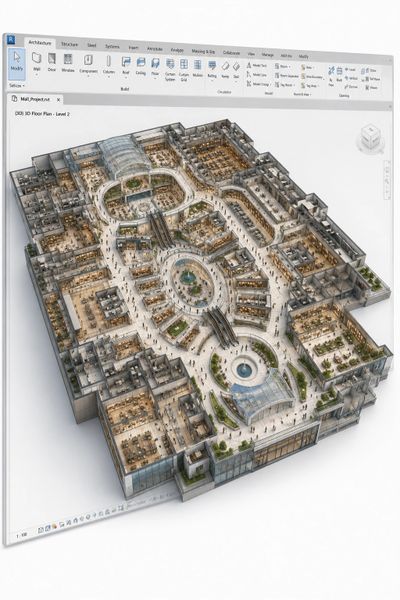
    This BRILLIANT course  of BIM Modeling covers the stages from the predesign phase up to LOD 300 (RIBA Plan of Work 2020 stages: strategic definition, preparation and briefing, concept design, spatial coordination, technical design)  

    PARTICIPATE IN BUILDING BETTER ARCHITECTURE AND EXPAND YOUR CAREER OPPORTUNITIES.

    enhance you BIM modeling understanding and align it with the international standards and best engineering and modeling and design practice. excel and acquire A 360 degrees professional profile and achieve success in your career. 

    Introduction


    Welcome to A Learning PRO, a professional educational training provider (established in the UAE) committed to delivering industry-driven programs in architecture, engineering, and construction. As an Autodesk Authorized Training Center (ATC), Autodesk Authorized Academic Partner, and Autodesk Learning Partner, we ensure that our training aligns with the latest global standards and best practices. This course is delivered by certified instructors with real-world experience, and upon successful completion, attendees will receive AUTODESK authorized course completion certificates, adding strong international credibility to their professional profile.


     This course is designed to transform your capabilities from fundamental understanding to advanced professional BIM modeling across all project stages (LOD 100–500). It equips you with practical skills to efficiently design, manage, coordinate, and deliver architectural, interior design, and landscape projects using AUTODESK REVIT within real-world workflows. By the end of this program, you will not only enhance your technical expertise but also significantly improve your employability and career growth potential. This course represents your first strategic step into the BIM career path, enabling you to confidently compete in the global AEC market and meet the evolving demands of modern projects. 

    Summarized Course Content

    1. AEC Project Lifecycle

    2. BIM Standards & Management

    3. Revit Fundamentals & Project Setup

    4. Collaboration & Data Management

    5. Linking, Coordination & Integration

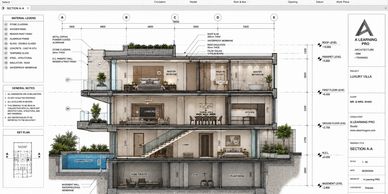
    6. BIM Modeling – LOD 100–300 (Design Phase)

    7. Advanced Modeling & Detailing

    8. Families & Parametric Modeling

    9. Documentation & Annotation

    10. Many others

    FREE SESSION

    Do you want to Register?

    send us the screen shot of your payment on whatsapp to: 00971522872305

    Click HERE!

    aLearningPRO international global network

    IMPROVEMENT

    99% improved their working conditions and experience at the end of our training program. 

    Rate

    The rate of the quality and material of our training programs exceeds 98% positive rates by our programs candidates.

    NEW POSITION/JOB OPPORTUNITY

    75% start NEW position or find new job opportunities after completing this training program

    Job positions of aLearningPRO candidates

    Specialist/Author/Modeler

    Manager/Director/Team Lead

    Manager/Director/Team Lead

    85% of the candidate enrolling to this training course have an experience ranges from 00 years (fresh graduates) up to 19 years of experience.

    Manager/Director/Team Lead

    Manager/Director/Team Lead

    Manager/Director/Team Lead

    seniors, team leaders, and design managers with 7+ years of experience are also enrolling to this comprehensive training program to learn BIM modeling in the phases LOD 100 to LOD 300 (pre-design, concept design, preliminary design, schematic design, detailed design and tender phases). they cover about 10% of the candidates enrolling to this course.

    CEO/Founder/Others

    Manager/Director/Team Lead

    CEO/Founder/Others

    it is not only about juniors, specialists, modelers, managers, designers, or team leaders. in addition to others, CEOs, Co. Founders, BIM Managers, BIM Coordinators, and many other positions are joining this training course. they join either to gain knowledge or to sharpen their experience. in both scenarios this category covers around 5% of the candidates. 
    Outcome (Summarized)

    Discover the Training’s program that has produced the most sought- after BIM experts in the industry. Our comprehensive curriculum will teach you how to effectively Participants will gain end-to-end BIM modeling expertise using AUTODESK REVIT, enabling them to:

    • Deliver projects      from concept design to as-built (LOD 100–500) 
    • Work within real      BIM workflows and standards 
    • Improve career      opportunities, technical skills, and project delivery capabilities

    Enroll Now

    Course Content

    AEC, BIM & Project Lifecycle Fundamentals


    • Introduction to  AEC industry 
    • Introduction to  construction project stages 
    • Deep insights into advanced construction stages 
      • IFT, Tender, Contractor Selection, Team Mobilization, Kick-off, IFC, Shop Drawings, Fabrication, Installation, As-built, Red Marking, Laser Scanning, Closing       
    • Introduction to BIM in construction 
    • Connection between BIM and construction 
    • Connection between BIM LOD and project stages 
    • BIM uses across design and construction phases 
    • Relationship between BIM and AUTODESK REVIT 

    BIM Standards, Documentation & Management Framework


    • BIM management documents and standards (Introduction) 
      • EIR, Pre-award BEP, Post-award BEP 
      • BIM Manual, Naming Conventions 
      • BIM Quality Management Plan 
      • LOD Specifications
      • ISO, PAS, AIA, NBIMS standards 

    Introduction to AUTODESK REVIT & System Setup


    • Introduction to AUTODESK REVIT 
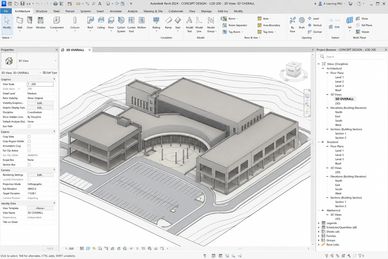
    • AUTODESK REVIT user interface 
    • AUTODESK REVIT three work environments 
    • Project environment user interface 
    • Understanding how AUTODESK REVIT works 
    • Preparing project URS file 
    • Project template setup 

    Project Initialization & Coordinates Setup


    • How to start a project in AUTODESK REVIT 
    • Introducing project coordinates 
    • Developing Project Base Point & Survey Point 
    • Shared coordinates concept 
    • Levels, grids, units, and references setup 
    • Project location, coordinates, and positioning 

    BIM Data Structure & Collaboration Setup


    • Data segregation concept and volume segmentation 
    • Project folder setup on CDE 
    • Introduction to CDE workflows 
    • Cloud collaboration: BIM 360 & Autodesk Docs 
    • Worksets concept      
    • Creating central and local files 
    • Synchronize, save, load latest, relinquish options 
    • Worksharing and collaboration workflows 
    • Publishing in collaboration environment 

    Linking, Coordination & Multi-Discipline Integration


    • Linking REVIT files and sub-files 
    • Linking using shared coordinates 
    • Importing & linking (CAD, PDF, RVT) 
    • Cross-file coordination concepts 
    • Coordination with other disciplines 
    • Copy/Monitor tools 
    • Revit Interference Check 
    • Warning management tools 

    Core Modeling Fundamentals – LOD 100–200


    • Family-based modeling concept 
    • Setup of Revit elements 
    • Walls creation and types (Basic, Curtain, Stacked) 
    • Doors, windows, furniture, and components 
    • Floors and floor structure (sub-elements & points) 
    • Roofs (Footprint & Extrusion) 
    • Ceilings 
    • Stairs, ramps, and railings 
    • Editing tools and modifying tools 
    • Work planes 

    Practical:

    Completing BIM model up to LOD 200 

    Advanced Modeling & Detailing – LOD 300


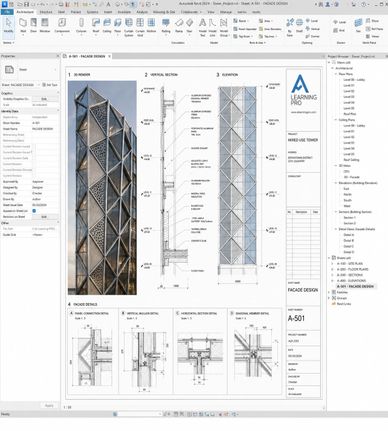
    • Upgrading model to LOD 300 
    • Model detailing and element development 
    • Visibility graphics 
    • View filters 
    • View creation and editing 
    • View templates 
    • Design options and phases 
    • Assemblies, groups, and parts 

    Practical:

    • Completing BIM model up to LOD 300 (Real Project) 

    Families, Parameters & Data Management


    • Family creation (all types) 
    • Annotation & tag families 
    • Family parameters and parameter types 
    • Project parameters & shared parameters 
    • Object styles & project information 
    • Transfer project standards 
    • Purging and model health management 

    Annotation, Documentation & Detailing


    • Dimensions, text, tags, annotation 
    • Area plans, area tags, and schedules 
    • Drafting views and detail creation 
    • Detail lines,  asking & filled regions 
    • Importing CAD details 
    • Legend views & legend components 
    • Keynotes and keynote files 
    • View referencing  

    Schedules & Quantification

    Visualization, Analysis & Site Modeling


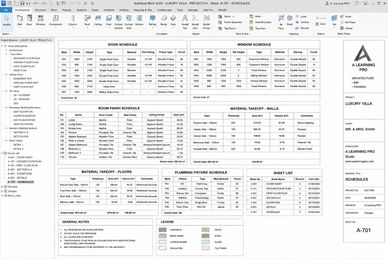
    • Creating schedules 
    • Advanced schedule development 
    • Schedule management for LOD stages 

    Visualization, Analysis & Site Modeling

    Visualization, Analysis & Site Modeling


    • Color schemes and color fill legends 
    • Massing and conceptual massing 
    • Site and topography tools 
    • Site modification tools 
    • Energy optimization tools 

    LOD 350–400 Modeling & Coordination


    • Transition from LOD 300 → LOD 350 → LOD 400 
    • LOI (Level of Information) integration 
    • LOD Specification – BIM Forum
    • Model detailing based on BEP (LOD/LOI requirements) 
    • Wall detailing and advanced parameters 
    • Stairs detailing and layer separation 
    • Producing clash-free models 
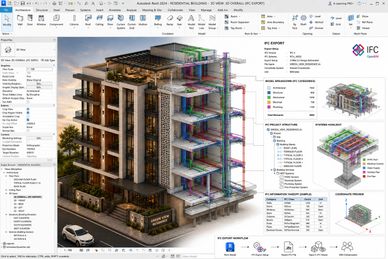
    • IFC package production 
    • Coordination workflows in construction phase 

    Practical:

    • Completing BIM model up to LOD 350 
    • Producing LOD 400 models and drawings 

    Drawing Production & Deliverables


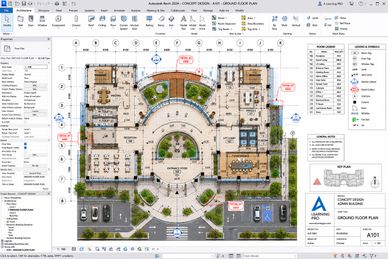
    • Producing full drawing sets 
    • Revision management 
      • Revision clouds  & schedules 
    • Project browser organization and filtering 
    • Printing and sheet setup 

    Exporting, Interoperability & Integration

    Exporting, Interoperability & Integration


    • Export to CAD 
    • Export to IFC 
    • Export to Autodesk Navisworks 
    • Plot to PDF 
    • Printing to paper 

    LOD 500, As-Built & Asset Information

    Conceptual Massing and Organic Modeling

    Exporting, Interoperability & Integration


    • Creating LOD 500 models 
    • As-built modeling from red-mark drawings 
    • Laser scanning integration concepts 
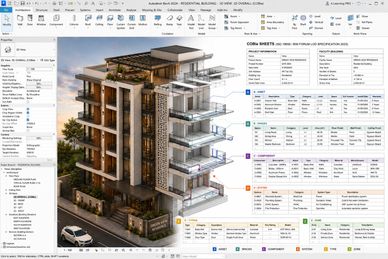
    • COBie parameters plugin 
    • COBie data structure and implementation 

    Final Project & Submission

    Conceptual Massing and Organic Modeling

    Conceptual Massing and Organic Modeling


    • Full project development from LOD 100 to LOD 500 
    • Real-world BIM workflow implementation 
    • Course project submission 

    Conceptual Massing and Organic Modeling

    Conceptual Massing and Organic Modeling

    Conceptual Massing and Organic Modeling


    • Advanced conceptual massing techniques in AUTODESK REVIT 
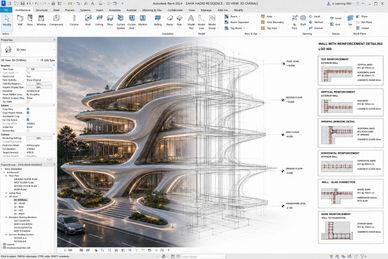
    • Creating organic and freeform geometries 
    • Working with adaptive components 
    • Form generation and manipulation tools 
    • Integrating conceptual massing into BIM workflow 
    • Converting mass models into building elements 

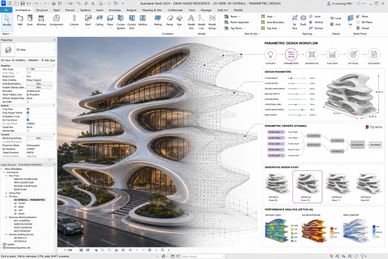
    Parametric Modeling in REVIT

    The Use of AI in BIM and Visualization

    Parametric Modeling in REVIT


    • Understanding parametric modeling principles 
    • Creating parametric families 
    • Controlling geometry using parameters 
    • Instance vs Type parameters 
    • Nested families and parametric relationships 
    • Driving design changes through parameters 
    • Applying  parametric workflows in real projects 

    Rendering and Visualization

    The Use of AI in BIM and Visualization

    Parametric Modeling in REVIT


    • Introduction to rendering in AUTODESK REVIT 
    • Materials creation and editing 
    • Lighting setup (natural & artificial) 
    • Camera views and composition techniques 
    • Realistic rendering settings and outputs 
    • Post-processing basics for visualization enhancement 

    The Use of AI in BIM and Visualization

    The Use of AI in BIM and Visualization

    The Use of AI in BIM and Visualization


    • Introduction to AI in AEC industry 
    • AI-assisted design workflows 
    • AI tools for rendering and visualization enhancement 
    • AI in model optimization and automation 
    • Enhancing productivity using AI tools 
    • Integrating AI with BIM workflows 

    Course Content Tailoring

    Course Content Tailoring

    The Use of AI in BIM and Visualization


    •  course content will be tailored/amended based on the candidates experience and course timeline. 
    • Many topics will be introductory level 
    • some covers will be covered through providing self-study or self-reading materials
    • some topics will be covered through providing external videos/recording for self learning 
    • to be eligible for the certificate candidates need to: 

    1. attend 80%+ of the online interactive sessions 
    2. fill the needed evaluation forms before the last class ends 
    3. pass the course exam 
    4. submit the course final project to a satisfactory level (instructor will evaluate all candidates submissions)

    BIM MODELING USING AUTODESK REVIT

    Outcome

    Modeling capability, covering:

    • Design Phase (LOD 100–300) 
    • Construction Phase (LOD 350–400) 
    • Asset & Handover Phase (LOD 500) 

    With real project application, coordination workflows, and industry-standard deliverables.


    course outcomes will be tailored/amended based on the candidates experience and course timeline.


    Find out more

    Do you want to Register?

    send us the screen shot of your payment on whatsapp to: 00971522872305

    Click HERE!

    Target Audience

    • Architects and engineers working as clients, client representatives, consultant engineers, contractor engineers working in the AEC industry 
    • Interior designers 
    • Landscape architects and engineers 

    • Engineering firm owners 
    • Consulting team members
    • Consulting team leaders and head of departments
    • Authority architects and designers.

    • Urban design engineers
    • Landscape architects
    • Designers
    • Draftsman
    • site architects


    • Project managers
    • Digital transformation leaders, managers
    • Design specialists 

    • Construction managers, technical managers, design managers
    • BIM managers, BIM coordinators, BIM Modelers

    • Business owners, CEO's, & Directors

    Do you want to Register?

    send us the screen shot of your payment on whatsapp to: 00971522872305

    Click HERE!

    Our Partners & Customers

    Copyright © 2020-2028 A | Learning Pro

    All Rights Reserved.

    • Online Learning
    • subscribe
    • terms_conditions
    • privacy_policy
    • BIM Resources

    Created By alearningpro

    This website uses cookies.

    We use cookies to analyze website traffic and optimize your website experience. By accepting our use of cookies, your data will be aggregated with all other user data.

    Accept